





Profile Milling with a Router and router table: Instructions for Manual Feed
A profile can be routed quickly—and ruined just as quickly. A scorch mark on the curve, a tear in the end grain, a counter-profile that doesn’t close up when the pieces are joined. The routing itself takes only a few minutes—but the decisions you make beforehand determine whether you’ll do it once or twice.
This article walks through the sequence of steps involved in the machining process: machine, tool, speed, direction, and depth of cut. Throughout, it refers to manual feed, which is the norm in woodworking.

Profile on the edge, milled using a manual feed
Table of Contents
- Which machine are you using for profiling?
- The tool must be compatible with the machine
- Rotational Speed: It All Depends on the Diameter
- Direction: Counter-rotation is set when feeding by hand
- Depth of Cut and Starting the Cut
- End Grain: It's All About the Order
- Safety: First the machine, then the person
- When a Tool Should Be Taken Out of Service
- What You Can Do Now
Which machine are you using for profiling?
The spindle moulder is the machine for large profiles. The tool sits on the spindle, the cutter diameter is hardly limited, and a power feeder runs long batches through evenly. Full-size frame and window profiles are processed here.

Spindle Moulder with Power Feeder – The Machine for Large Profile Sets
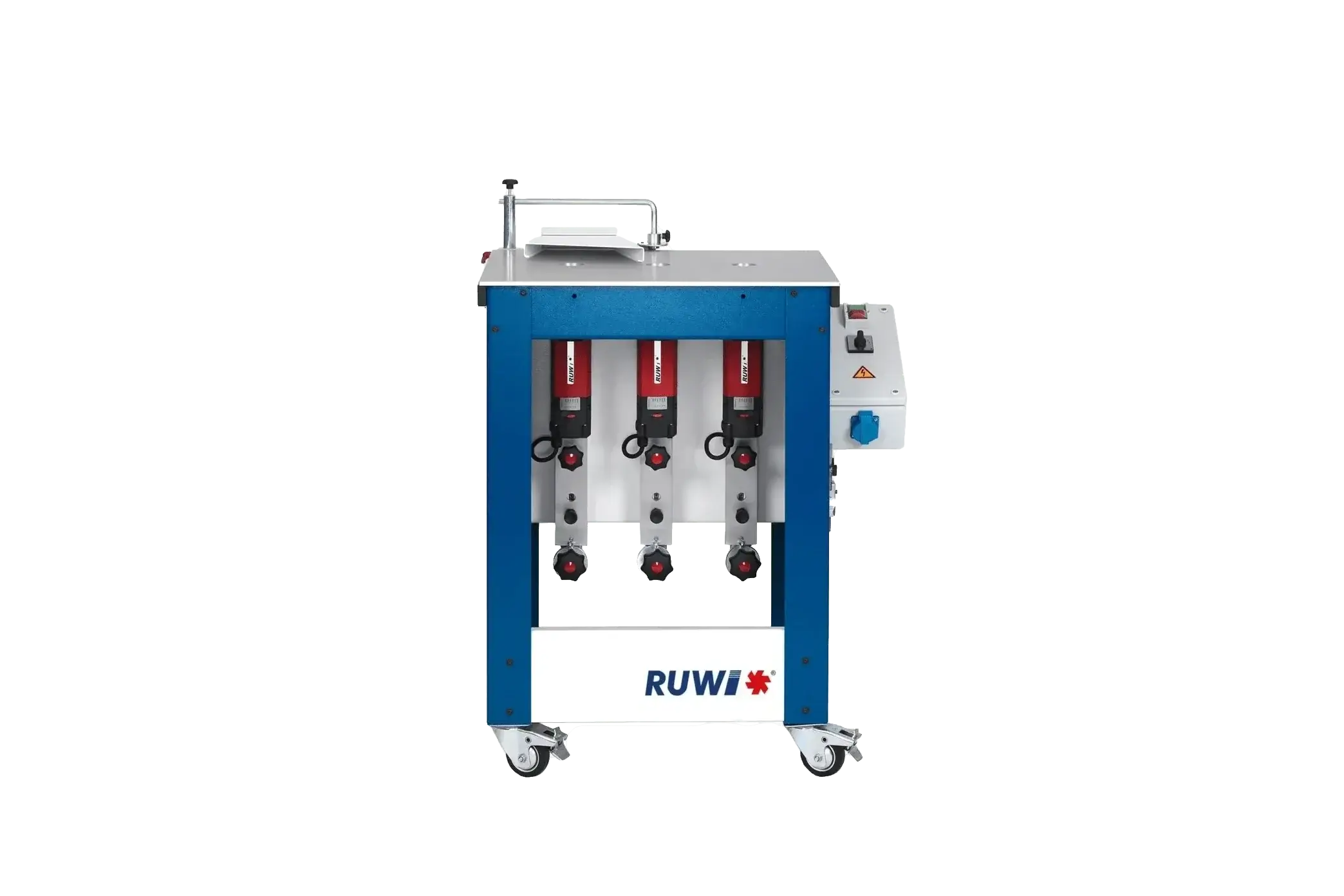
The router table, the under-table router with built-in router motors, uses shank-style bits in the collet. This limits the profile size but saves setup time: With the RUWI router table , depending on the model, three to ten router bits remain clamped at once—you simply move to the appropriate motor instead of having to change tools. For chamfers, curves, paneling, and smaller frame profiles, this is the faster method.

RUWI router table Classic Performance and Premium
The handheld router is used in situations where the workpiece cannot be brought to the machine: assembled parts, large panels, construction sites.

Hand-held router for parts that are already assembled
The rules regarding direction, depth of cut, and tooling apply to all three.
The tool must fit the machine before it fits the profile
Mounting. The large profile sets run on the spindle of the spindle moulder. In the collet, the shank diameter matters: The RUWI router table with a standard motor comes standard with a Ø 8 mm shank; alternatives include 6, 6.35, and 10 mm. The Classic Performance model accommodates larger shanks with a Ø 12 mm and collets ranging from 3 to 10 mm. The 6.35 mm shank is the inch-shank. For tools from the Anglo-American region, it’s worth checking before ordering.
Diameter. The router table stops at Ø 40 mm, while the Performance model goes up to Ø 55 mm. This helps determine which machine is used for which job: raised panel profiles and small frame profiles fall below that range, while a full set of counterprofiles for interior doors falls above it and belongs on the spindle moulder.

Shank tools in the Classic Performance – collet Ø 12 mm, tools up to Ø 55 mm
Marking. On spindle moulders, only tools approved for manual feed may be used; these are identifiable by the markings “MAN,” “HANDVORSCHUB,” or the BG-TEST certification mark. For shank-type cutters used with hand-held routers, the labeling requirement applies to tools with a cutting circle diameter of 16 mm or greater. If a tool bears no marking, check it using the test template and take it out of service if it fails the test. The maximum speed is also marked on the tool and must not be exceeded, not even briefly.
You buy counter profiles as a set and have them resharpened as a set. If the profile and counterprofile are resharpened separately, they will no longer match properly afterward. In general, the following applies to profile cutters: Resharpening reduces the diameter, and as the diameter changes, so does the contour. Where the same shape must remain reproducible for years, indexable inserts are the more reliable solution.
You can find the right tools under "Milling Tools." The standard profiles are also available from other manufacturers in good quality—what matters is that they fit your mounting, not the logo.
Rotational Speed: It's the Diameter That Matters, Not the Hardness of the Wood
The common rule of thumb “hard wood slowly, soft wood quickly” is misleading. The decisive factor is the cutting speed at the circumference, and that depends on the tool diameter: The larger the router bit, the lower the speed. The type of wood is only a secondary factor, because resinous wood tends to smear, and dense woods tend to burn.

Continuously variable speed control, 8,000–25,000 rpm
That is why stepless speed control on a machine that processes profiles of varying diameters is not a convenience, but a necessity. The RUWI milling motor covers a range of 8,000 to 25,000 rpm, while the Performance model covers 3,500 to 30,000 rpm.
If the speed drops noticeably while milling, you're removing too much material at once. The electronics keep the speed constant under load. If it drops anyway, that's a signal about the depth of cut, not the motor.
Direction: When feeding by hand, conventional milling is not an option—it is mandatory.
On a spindle moulder and a router table, the workpiece moves from right to left past the fence. If the feed were synchronized with the cutting action, the cutting force would act in the direction of your push and pull the workpiece toward you—with manual feed, this self-feed cannot be controlled.
There are two situations where the direction of the operation can change without you noticing: machines with reversible rotation, and profiles that are wider than the tool and are created in multiple passes. Be sure to reset the fence between passes, and never place the workpiece on the other side of the milling cutter.
Both topics are covered in detail in the section on conventional milling; the section on climb milling explains when climb milling is permissible.
Depth of Cut and Starting the Cut
Deep profiles are created in several passes. The workpiece will tell you how many: As soon as the feed force becomes so high that you can no longer guide the piece smoothly, the depth of cut is too large. The final pass is the finishing cut—minimal chip removal, even feed, no stopping. Any spot where you hesitate will leave a mark on the wood.
The real danger lies in the initial positioning: The workpiece must be in contact with the fence before it touches the moving tool. Plunging freely into the tool and then trying to find the fence is a classic way to cause kickback. When performing insertion operations, kickback protection and a cross stop are essential.

Adjusting the cutter height – Fine adjustment in 0.1-mm increments
Adjust the height using a dial gauge, not by eye. On the RUWI router table , this allows for fine adjustment in 0.1-mm increments. Before doing so, perform a test cut on a scrap piece of the same wood type and thickness—not just any board—and only with the safety guards in place.
End Grain: It's All About the Order
The edge tears out at the fiber exit, and the tearing is most severe at the end grain. For frame parts, this is addressed by the following sequence: first profile the end grain edges, then the long edges. The longitudinal cut removes the tear-out.
If that’s not possible, use a support block or a piece of scrap wood that runs behind the workpiece and supports the grain. A sharp tool and a steady feed will prevent more tear-outs than any trick you try afterward.

Round bar at the router table
Safety: First the machine, then the person
Safety measures on the machine come first. Whatever is worn on the body is what’s left.
- Install the tool covers, pressure elements, and clamping elements, and leave them in place. Even for a quick cut.
- Short workpieces belong in a clamping tray, not between your fingers. On the router table, the insert ring further reduces the gap around the router bit so that small parts don't get caught.
- Place your hands flat on the workpiece with your fingers closed, and feed it forward evenly so that no fingers get caught in the gap.
- When routing curves, use only a guide ring and a curve stop. Positioning the router freehand against the ball bearing is where things typically go wrong; with the router table , the curve guide takes over the guidance.
- Dust extraction is a technical safety measure, not a convenience feature. The RUWI router table extracts dust above and below the work surface, with a 120 mm connection, a flow rate of approximately 170–230 m³/h at 20 m/s, and DGUV certification. To learn more about the role that dust class M plays in this process, read the article “Extracting Wood Dust.”
- Only then: ear protection, safety glasses, close-fitting clothing, no jewelry.
The Wood and Metal Workers’ Compensation Association has compiled this information in a concise format: for the machine in “Working on Spindle Moulders” (Occupational Safety Compact No. 044), for the tools in “Routing Tools for Woodworking” (No. 092), and for the handheld machine in “Working with Handheld Routers” (No. 080).
When a Tool Should Be Taken Out of Service
A dull cutter gives warning signs before the workpiece is ruined: The motor audibly struggles more, burn marks appear on the edge, and the tear-out on the end grain increases. Anyone who continues to cut through three more doors will end up with scrap.

Check the cutting edge before starting production
Resin and glue residue can clog the cutting edge and create the illusion of dullness, even though the blade isn't actually dull. Clean the tool after each use to keep it sharp longer.
What You Can Do Now
Before moving on to the next profile, ask yourself three questions: Does the tool mounting fit? Is the diameter within the machine’s capacity? And is the tool marked for manual feed? Then test a piece of the same wood species, cutting in stages, starting with the end grain.
If you're stuck at a certain point or want to know which profiles should go to the router table and which should stay on the spindle moulder: Give us a call or schedule a workshop consultation.


